
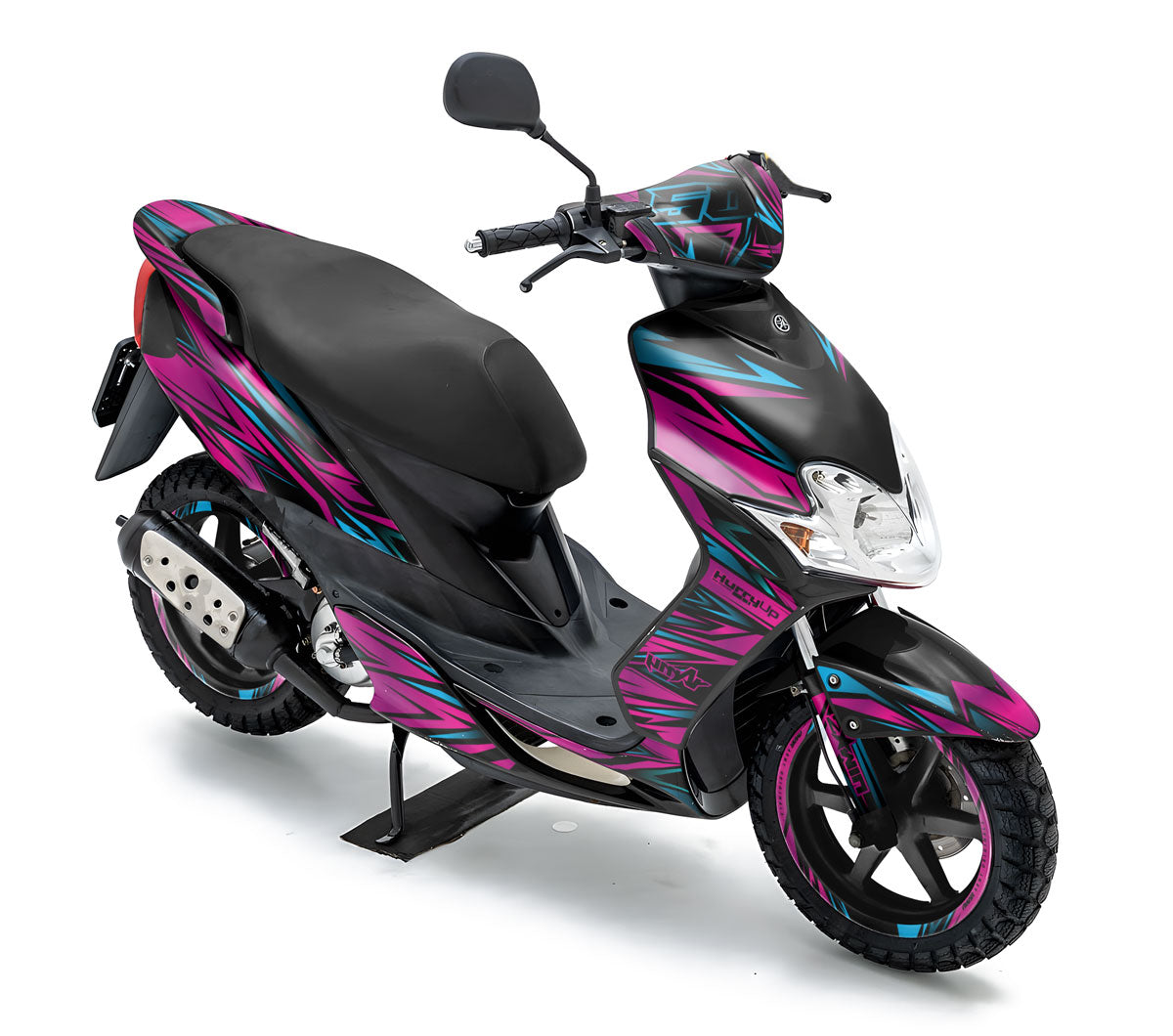
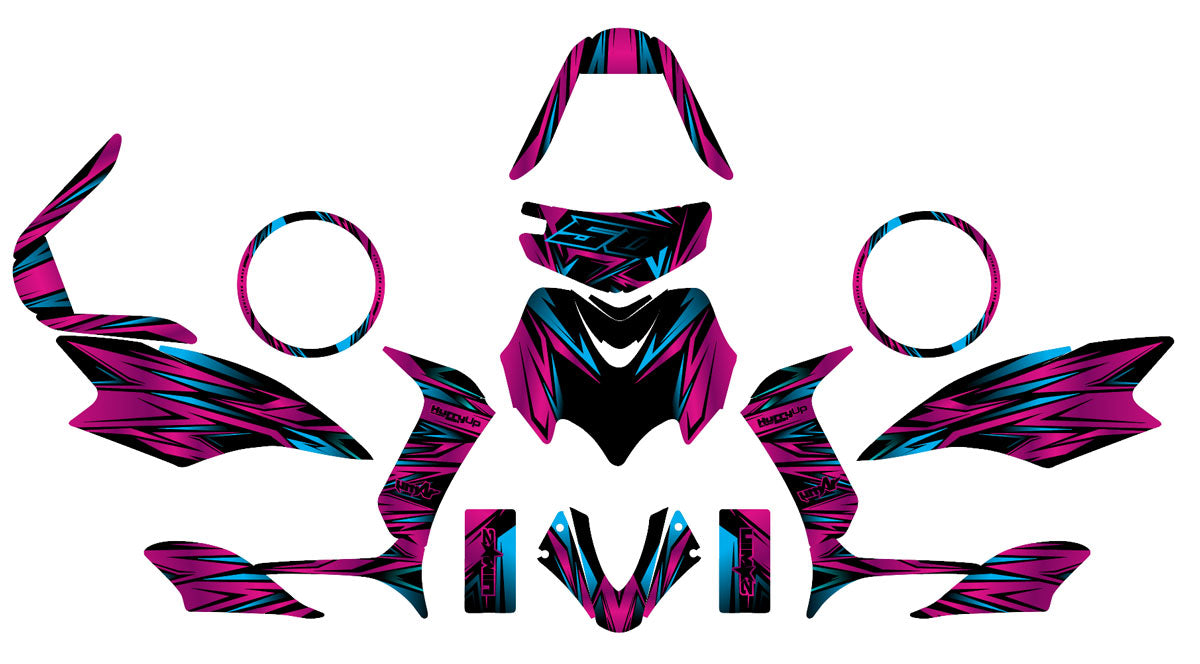


Graphics kit MBK Mach G 2004-2015 Metal Style
Design approved before printing | no surprises!
Pose facile, sans bulles
Maquette 24/48h
Modifications illimitées
Vinyle premium anti-UV


Product description
The Graphics-kit Metal Style for the MBK Mach G is crafted for riders who want to give their machine a heavy and indestructible look. The Mach G is a scooter known for its lightness and maneuverability; with this graphics-kit featuring a purely industrial aesthetic, your two-wheeler creates a striking optical illusion by adopting the appearance of a solid metal block ready to tear up the asphalt.
Industrial and armored MBK graphics for your Mach G
The Metal Style design is a masterpiece of texture. It revolves around visuals mimicking raw steel, brushed titanium, or machined sheet metal, enhanced by mechanical details like rivets or virtual ventilation grilles. It’s the essential MBK graphics for riders seeking a "Mechanical / Factory" style, offering a radical and masculine contrast to the original smooth paintwork.
- Metal Trompe-l'œil Design: An "Industrial" aesthetic dominated by shades of steel gray, iron, and cast iron. A raw style that visually weighs down the silhouette of the MBK Mach G to give it extraordinary presence.
- Adjusted MBK Mach G Templates (04-15): The metal illusion requires precise application. Our templates fit the curves of the front face and rear panels of your scooter with surgical precision, allowing your MBK graphics to simulate an assembly of perfectly fitted armor plates.
- "Armor Tech" 450 Micron UV-Resistant Vinyl: The armor is not just an illusion. Our ultra-thick vinyl (motocross quality) is a true shield against key scratches, gravel, and curbs. The steel textures of your graphics-kit are protected from fading by a powerful UV filter.
- Easy Bubble-Free Application: A factory-like finish, applied in minutes at home. The honeycomb adhesive technology instantly expels air under the squeegee. The result is clean, wrinkle-free, and guaranteed 100% bubble-free.
Complete graphics-kit contents for MBK Mach G:
The full metal armor for your scooter (compatible with Yamaha Jog R/RR):
- Front face and handlebar cover (The front shield)
- Front fender and skid plate/side skirt
- Rear side panels and engine hatch (The armored fuselage)
- Rear spoiler (depending on model)
Recommended finishes
To make the Metal Style design illusion absolutely perfect, the Matte finish is more than a recommendation—it’s a necessity: it removes "plastic" reflections to give a true "Brushed Steel / Matte Metal" look to your scooter’s textures, dramatically increasing realism. The Glossy finish will offer a "Polished Chrome / Varnished Sheet Metal" effect that will really pop under the sun. The Holographic option will add an unexpected iridescent touch, reminiscent of welding sparks or white-hot titanium.
Printing Vinyl Specifications
| Vinyl Type | Technical Features |
|---|---|
| Glossy | Flexible white polymer vinyl with FLO® technology, allowing bubble-free application and printing with intense colors. |
| Holographic | Holographic polymer vinyl with FLO® technology, offering bubble-free application and enhanced opacity thanks to a light gray pigmented adhesive. |
| Chrome | Ultra-adhesive vinyl for difficult plastics, available in Silver Chrome and Holographic Chrome. FLO® technology eliminates bubbles and eases installation. |
| Fluorescent / Neon | Neon cast vinyl with FLO® technology, featuring an ultra-aggressive adhesive for optimal grip on all surfaces. |
Lamination Vinyl Specifications
| Vinyl Type | Technical Specifications |
|---|---|
| Glossy | Flexible transparent vinyl film with optically clear acrylic adhesive. Ensures optimal protection and a glossy finish. |
| Glitter | Transparent glitter vinyl film with holographic effect. Provides a unique shine and long-lasting print protection. |
| Textured | Textured vinyl film offering improved grip. Ideal for enhanced protection and better traction. |
| Matte | Matte vinyl film with anti-glare finish. Durable protection while maintaining a discreet and elegant look. |
Installation tips
Follow these 4 simple steps to install your holographic decal kit on your 50cc motorcycle decal kit and achieve a professional finish:
-
Surface Preparation:
Thoroughly clean the application area of your 50cc with a mild degreaser to remove dust, dirt, and oil traces. A clean surface is essential for your holographic decal kit to adhere properly.
-
Measuring and Marking:
Accurately measure the area to be decorated on your 50cc motorcycle decal kit. Use a non-permanent pencil to lightly mark the outlines to help align the vinyl during application.
-
Applying the Vinyl/Sticker:
Partially peel off the backing of the vinyl or sticker. Carefully position it on the marked area, then gradually remove the backing while smoothing the material with a squeegee or microfiber cloth to eliminate air bubbles and ensure perfect adhesion.
-
Finishing and Checking:
Check that the vinyl is firmly fixed over the entire surface of your 50cc motorcycle decal kit. Remove the protective film and make any necessary touch-ups to highlight the unique effect of your holographic decal kit.
When will I receive my order?
We will strive to send your order as quickly as possible. Once your order has been sent, you will receive an email containing further information. Delivery times vary depending on your location.
24/7 assistance by email
Our team is available to assist you before, during, and after your order.
We answer all your questions: customization, compatibility, installation, order tracking, or after-sales service.
📨 Contact email: contact@armysctv.com
⏱ Average response time: within 24 hours (excluding Sundays and public holidays)
🤝 Free advice: choice of finishes, colors, design, maintenance…
If technical assistance or adjustments are needed, we remain available until you have fully received your decoration kit.
We are also reachable via Instagram for any quick questions.
Fast & tracked delivery
🚚 Relay point or home delivery
📦 Production: 3–5 business days
📮 Delivery: 2–5 business days (4-6 days Europe)
🎁 Free delivery from €150 (France) and €200 (rest of the world)
🔎 Email tracking + support in case of issues
Satisfied or refunded
🔄 Return within 14 days
🛠 Free reshipment in case of error
🤝 Support after purchase
Our deadlines
We work custom-made to ensure a perfect finish for your motorcycle.
🖌 Mockup creation
24 hours to 4 business days depending on the complexity of the design.
✔️ Client approval
You receive the mockup by email.
Any requested modification may slightly adjust the deadline.
🖨 Production & printing
Once approved, manufacturing takes on average 3 to 5 business days.
📦 Shipping
Tracked delivery within 3 to 7 business days, depending on the destination.
⚡ Express Mockup Option
24-hour mockup option available at purchase
Technical information
🛡 Premium anti-UV vinyl
🎨 8-color HD printing
🔥 Protective lamination
✂️ Custom cutting
📏 Thickness 400–600 microns
👍 Easy bubble-free application
These technical features guarantee a durable decoration kit, easy to apply and designed to withstand both on-road and off-road conditions.


Graphics-kit Scooter 50cc: Restyle your machine with flair
Expertise in Templates for All 50cc Scooter Models
Whether you are looking to restore a classic or customize your daily ride, our decal kits for 50cc scooters offer unmatched cutting precision. We master the complex fairings of the icons in the segment: from the legendary MBK Booster and Yamaha BW's, to the sporty MBK Nitro and Yamaha Aerox. Our catalogue also covers essential urban models like the Piaggio Zip, the Kymco Agility, as well as the entire Peugeot range with the Peugeot Kisbee, Speedfight, and the timeless Trekker. Our premium vinyls are designed to hug the curved shapes of scooter bodies while offering strong protection against city scratches and UV rays.
Top-Quality Finishes:
Holographic Vinyls, Chrome & Glossy

PRINTING
Holo / Chrome
Dynamic holographic reflections for a futuristic and personalized look.

FINISH
Glossy / Matte
Glossy enhances, matte offers a simple and elegant style.

IMPRESSION
Fluorescent / Neon
Ultra bright colors for a modern racing style and maximum visibility.

FINISH
Galactic Series
Cosmic glitter finish for a luxurious, deep, and exclusive look.

FINISH
Holo Spectrum
Multicolored holo effect with spectacular prismatic reflections.

FINISH
Ultracurve
Glossy surface with smooth gradients for a modern and high-quality style.
Your Custom Scooter Project: How Does It Work?
1. Graphic design and certified template
As soon as you place your order, our designers adapt the chosen design to the exact template of your scooter (Zip, Nitro, Kisbee, etc.). We check the fit of the fairings to ensure perfect alignment of the logos on the different panels. A high-definition digital proof (BAT) is sent to you by email.
2. Unlimited changes and approval (BAT)
You have full control over the look of your scooter. Colors, sponsors, social networks, or adding your nickname: request as many adjustments as needed. We revise your project free of charge until you give your final "Good for Approval".
3. High-definition manufacturing and shipping
Your kit is printed on the chosen material (Chrome, Holo, Fluorescent...) and laminated with the selected finish. Thanks to our "Air Free" adhesive technology, installation is simplified, even on the curved surfaces of scooters. Your order is carefully cut, checked, and shipped with reinforced protection.
FAQ - Decorative Kits for 50cc Scooters
Is the kit for the MBK Booster the same as for the Yamaha BW's?
Yes, the MBK Booster and the Yamaha BW's share the same fairings. Our kits are therefore 100% compatible with these two models. The same goes for the pair MBK Nitro and Yamaha Aerox, ensuring a perfect fit for these two references.
Can a decoration kit be applied to fairings of the "Tuning" type (such as BCD or Tun'R)?
Our kits are based on the shapes of the original manufacturer fairings (Peugeot, Piaggio, Kymco, etc.). If you have installed adaptable shells with very different shapes, we advise you to contact us to check compatibility before placing an order.
What is the most durable finish for daily use in the city?
For a scooter that is often parked outdoors, the Frozen (frosted matte) finish or the classic Glossy finish are excellent choices. They are extremely durable and make cleaning easier. For those who want a unique look while maintaining thick protection, our Spectrum Holo finishes offer the best lamination thickness on the market.